Every Wave.
Perfectly Tracked.
SurfTrackerWatch automatically detects your waves, analyzes your sessions, and shows your progress — right on your smartwatch.
Download on Google Play
SurfTrackerWatch automatically detects your waves, analyzes your sessions, and shows your progress — right on your smartwatch.
Download on Google Play
Just install the app and start tracking your waves.
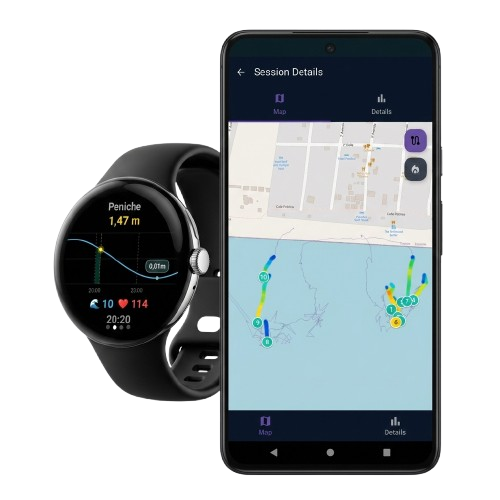
From your first wave to full session analysis — SurfTrackerWatch has you covered.




Your watch's built-in GPS and motion sensors pick up the speed and movement pattern of a wave automatically. No button presses, no manual logging. Just paddle out and surf.
Any Wear OS smartwatch works. Install the app from Google Play, put it on, and you're ready to track your first session.
Yes, the app is free to download and use on Google Play.
No. Your watch tracks the session on its own, and the phone app is there for reviewing your stats afterward.
Wave count, top speed, wave length, intensity, and your paddling paths, with paddle stroke analysis coming soon.